School websites built around a family's first questions.
A family deciding on a school wants to know what it is, who it is for, what it costs and how to come and see it. The site should answer all of that before anyone has to phone the office, and then the office should be able to keep it current.
What the site has to do
-
Answer the first questions
What the school is, who it is for, what it costs and how to visit, in plain words and in that order.
-
Make the next step obvious
An inquiry, a tour or an application, each one clear and easy on a phone. I can set up a count of how many come through, so you can see the number for yourself.
-
Let the office keep it current
Calendars, staff, tuition and forms, in editing screens set up for the people who run the office, so changes never wait on a developer.
Try it
Ask what a new student asks.
This is the real The Presbyterian Academy homepage on a phone. Tap a question and the page scrolls to its answer, so you can see how far a visitor would have to look.
Tap a question
-
Found it on the first screen, in the lines under the headline: who the school teaches, and how it meets.
-
Found it about 1 scroll down, under Contents: every course by name, with who teaches it.
-
Found it about 2 scrolls down, under The courses: each course shows its price beside its dates.
-
Found it on the first screen, twice: a Visit free link in the top bar, and a Book a free intro button.

What I can show you
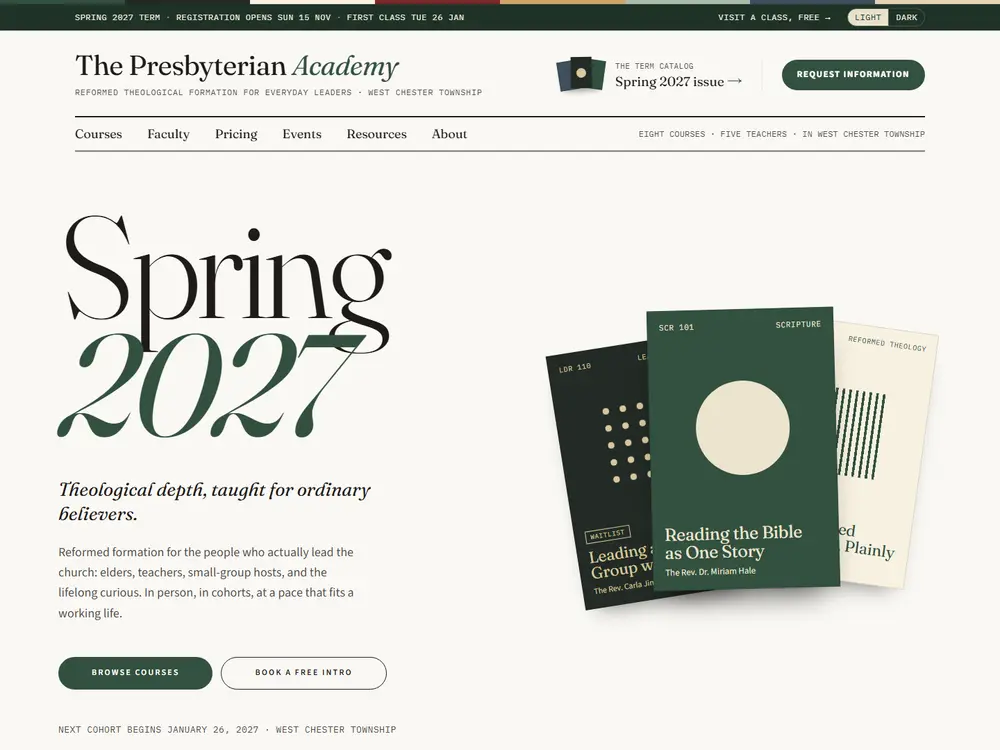
The Presbyterian Academy shows the same job done for a new school: what it is, who it is for, what it costs and how to start. I will be straight about the rest. It is the one school in my case studies, and it is new, so I have no enrollment figures to show you. It also teaches adults in small groups that study together, so it is not a school for children with tours and a tuition schedule.


-
The Presbyterian Academy
School
A new school with a front door that reads like its own catalog: clear courses, the people teaching them and an easy first step.
Read the case study: The Presbyterian Academy Visit the site: The Presbyterian Academy (opens in a new tab)
-
West Chester Preschool
School
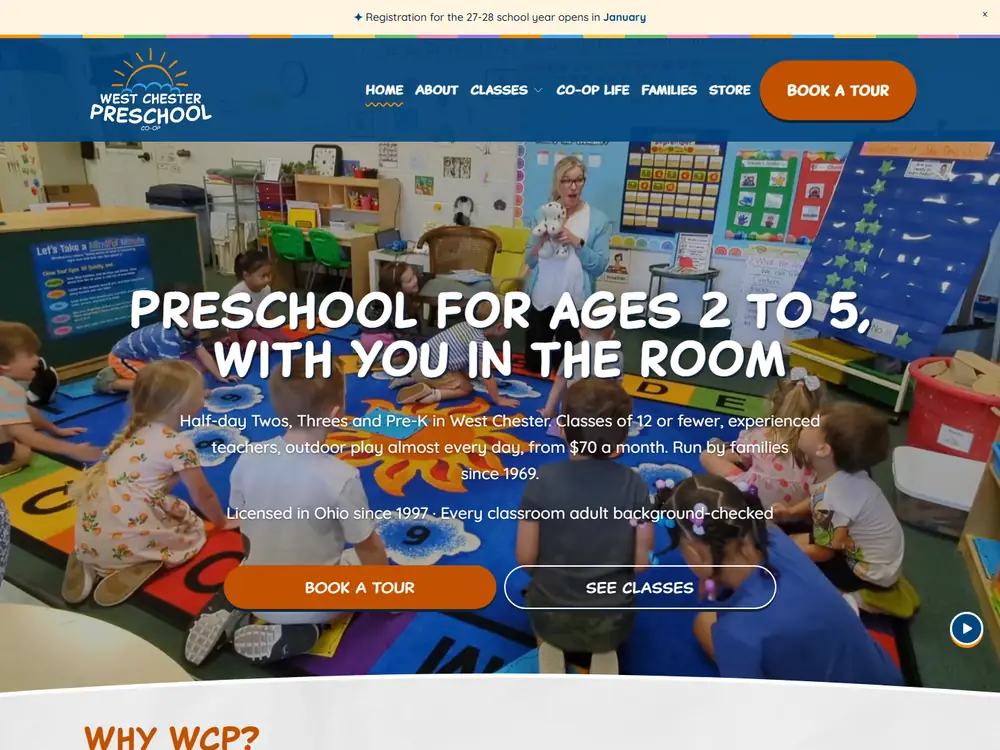
Classes filled to 41 of 43 places, up from 26 students, website visits up 738% in enrollment season, and a store that has sold $2,544.64.
… Our school, West Chester Preschool, has been around for a very long time, but he breathed new life into our website and gave our whole school online presence an overhaul, creating a beautiful cohesive design that is truly impressive! …
Read the whole review
I highly recommend Nathan and his creative services! Our school, West Chester Preschool, has been around for a very long time, but he breathed new life into our website and gave our whole school online presence an overhaul, creating a beautiful cohesive design that is truly impressive! I love everything about what he has done for our school and our families. It is incredibly beautiful and functional, and I cannot imagine anything better than that!
… He completely transformed our school website and social media and practically doubled our enrollment at West Chester Preschool. …
Read the whole review
Nathan is phenomenal. He completely transformed our school website and social media and practically doubled our enrollment at West Chester Preschool. He is incredibly skilled and professional. His attention to detail and responsiveness blew me away. I wouldn’t want to work with anyone else!
Read the case study: West Chester Preschool Visit the site: West Chester Preschool (opens in a new tab)

For the parts it does not cover, the closest work I can show you is Stone Steps 50K, which puts the date, the fees and registration on the home page, and Reid Design, which posts every price before the first call.
Which tier usually fits
-
Launch
A preschool or small school with one office person, and clear inquiry pages.
From $3,500
-
Signature
An admissions lead and office staff running several kinds of content, with inquiries tracked.
From $6,500
-
Flagship
Several campuses or age groups and many editors, with links into the systems you already use.
From $12,500
If you use an admissions or school management system, tell me early. What has to connect to it is part of what sets the tier.
One way to weigh the cost: divide the first-year cost by a year of tuition. The answer is how many students, for one year each, would cover it. I cannot promise you a single student, so only you can judge whether that number looks reachable.
See what each tier costs over five years, or forward a one-page summary to whoever has to say yes.
Questions people ask first
-
How much does a school website cost in 2026?
A DIY builder like Squarespace or Wix runs about $18 to $29 a month, roughly $1,100 to $1,800 over five years. School platforms like Finalsite, Edlio and Thrillshare do not publish prices, and public school board records show them at $3,550 to $99,981 a year. A custom build from me starts at $3,500, then $200 a year for hosting, so about $4,300 over five years.
-
What do parents look for on a preschool website?
Parents want to know if you have space, what it costs, your hours, whether you are licensed and safe, who the teachers are, and how to book a visit. ChildCare.gov tells families to ask exactly those questions. Put the answers on the site, make them easy to find on a phone, and make booking a tour one tap away.
More plain answers, with the sources linked, in the journal.